Connection to the server lost. Please check your internet connection or try again.
Mic off
Audio off
Device settings
Settings
Peer disappeared, waiting...
Age verification
The service is intended for persons over 18 years of age. By clicking the button, you confirm your age of majority and agree to the Privacy Policy,
Cookie Policy and
Terms of Service.
Record a great conversation moment, add visual effects, your profile, and download the finished video to publish on Shorts or TikTok!
Video settings
Loading audio...
00:00
Audio Recording Guide
Headphones are required to prevent the interlocutor's voice from echoing back into the microphone.
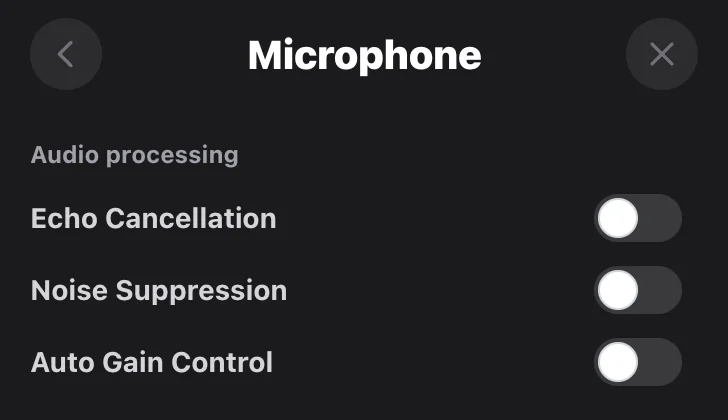
Go to the microphone settings and disable the three microphone processing parameters. This is necessary so your device does not mix your voice with the interlocutor's voice.
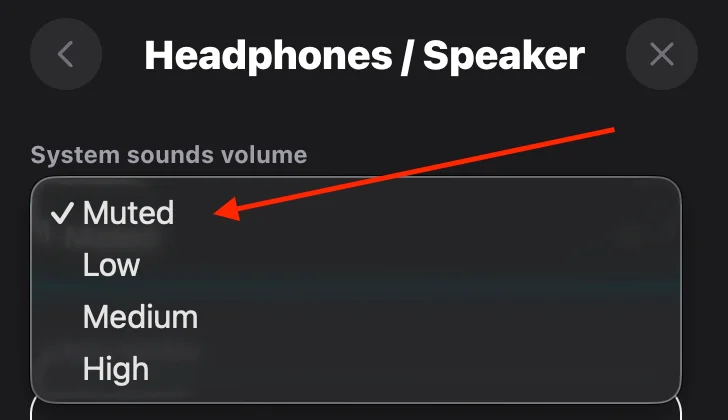
Go to your headphone settings and disable system sounds. This ensures that notifications won't disturb you while recording.
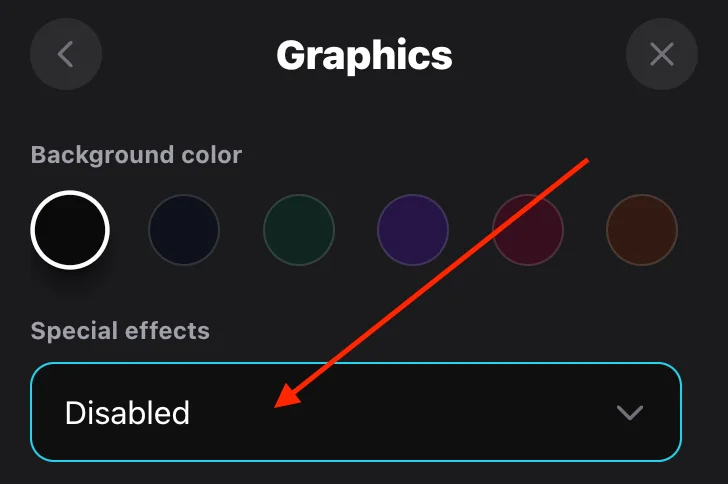
If you have a weak device and notice freezes, you can disable all animations and switch to the standard interface. This will improve audio recording performance.
Quality
Profile
Audio editor
00:00 / 00:00
Voice volume100%
Studio soundAuto-leveling of quiet and loud parts
Select template
Audio Effects
System sounds are muted. You won't hear the preview.